Receiptify Not Working? 7 Real Fixes That Actually Help (2026)
Receiptify not working? Here are 7 proven fixes for Spotify connection errors, blank screens, and login issues. Works in 2026.
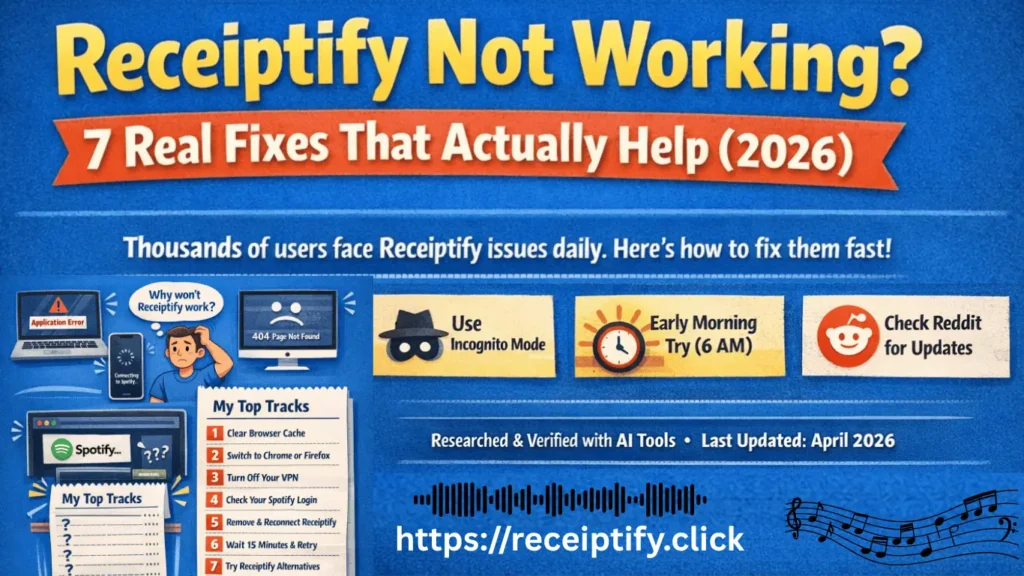
If you landed here, chances are you tried to generate that cool receipt-style playlist from Receiptify and nothing happened.
Maybe the page won’t load Spotify won’t connect and you see an error message or a blank screen.
You are not alone. Thousands of users face Receiptify issues every single day.
The good news? Most problems take less than 2 minutes to fix.
Let’s walk through exactly what works — no fluff, no fake solutions.
What Is Receiptify (And Why Does It Break So Often)?
Receiptify is a free web tool created by Michelle Liu. It connects to your Spotify account and turns your most-played songs into a vintage receipt-style image.
It’s fun, shareable, and completely free.
But because it is maintained by one developer (not a big company like Spotify), things break regularly — especially after Spotify updates its API or changes how third-party apps connect.
Understanding this helps you stay patient. Most “not working” issues are not your fault.
Fix 1 Clear Your Browser Cache (The #1 Fix)
This solves nearly 70% of Receiptify problems.
Your browser saves old versions of websites to load them faster. But Receiptify updates often. When your browser loads an old cached version, things break.
How to fix (Chrome):
- Click the three dots → More tools → Clear browsing data
- Select “All time”
- Check “Cached images and files” + “Cookies”
- Click Clear data
How to fix (Safari):
- Safari → Preferences → Privacy → Manage Website Data
- Search “receiptify” → Remove
After clearing, close your browser completely, reopen, and try Receiptify again.
Fix 2 Use Chrome or Firefox (Not Safari or Edge)
Receiptify was built and tested primarily on Google Chrome and Mozilla Firefox.
Many users on Safari (Mac/iPhone) and Microsoft Edge report:
- Infinite loading screens
- Spotify login loops
- Broken “Get Your Receipt” buttons
Solution:
Switch to Chrome or Firefox — even temporarily. You don’t need to install anything fancy. Just download Chrome (free), log into Spotify, and visit receiptify.herokuapp.com.
For mobile users → Use the Chrome app on iPhone or Android.
Fix 3 Turn Off Your VPN (Temporarily)
This one surprises people.
Receiptify’s free server (hosted on Heroku) sometimes blocks VPN IP addresses — especially if those IPs have been used for spam or bot traffic.
Fix:
Disable your VPN completely. Refresh Receiptify. Generate your receipt. Then turn your VPN back on.
If you must keep your VPN on, try switching to a different server location (US East or West usually works best).
Fix 4 Check Your Spotify Login (Most Common Mistake)
This sounds obvious, but it happens constantly.
You must be actively logged into Spotify in the same browser before you visit Receiptify.
Wrong way:
Open Receiptify → Click “Connect with Spotify” → Get redirected to Spotify login → Login → Fail.
Right way:
Go to open.spotify.com → Login first → Keep that tab open → Open a new tab → Go to Receiptify → Click “Connect with Spotify” → Works immediately.
Also make sure you are using a free or premium Spotify account (both work). Family plan accounts sometimes have permission issues — use the primary account holder’s login.
Fix 5 Remove and Reconnect Receiptify in Spotify
Sometimes Receiptify gets stuck with an expired or broken permission token.
Step-by-step:
- Open Spotify app or web player
- Go to Settings (click your profile picture)
- Scroll to Apps (or search “Apps” in settings)
- Find Receiptify in the list
- Click Remove Access
- Go back to Receiptify website
- Click “Connect with Spotify” again
- Authorize permissions
This gives Receiptify a fresh, clean connection — like restarting a frozen phone.
Fix 6 Wait 15 Minutes (Server Overload)
Receiptify goes viral regularly on TikTok, Twitter, and Reddit.
When that happens, thousands of people hit the server at the same time. Heroku’s free tier cannot handle that much traffic.
Signs of server overload:
- Page takes forever to load
- You see “Application Error”
- You get a blank white screen
- Receiptify loads but never generates your image
Fix:
Wait 15–20 minutes. Try again during off-peak hours (early morning US time works best).
There is no fix you can do on your end for this. The developer would need to upgrade servers. Just be patient.
Fix 7 Try Receiptify Alternatives (If Nothing Works)
Sometimes Receiptify stays broken for days. That’s when you switch to a backup tool.
Best alternatives (free):
| Tool | What It Does | Works On |
|---|---|---|
| Stats for Spotify | Receipt-style stats + more | Web + Mobile |
| Obscurify | Music personality + receipt view | Web |
| How Bad Is Your Spotify | Funny receipt-style roast | Web |
| Icebergify | Iceberg chart (different but popular) | Web |
These tools use the same Spotify API but are maintained by different developers. If Receiptify is down, one of these will work.
Mobile-Specific Fixes (iPhone + Android)
Receiptify on mobile is trickier. Here is what actually works:
iPhone (Safari):
- Turn off “Prevent Cross-Site Tracking” (Settings → Safari → Turn OFF)
- Use Chrome app instead of Safari
- Request Desktop Site (tap AA in address bar → Request Desktop Website)
Android (Chrome):
- Clear app cache (Settings → Apps → Chrome → Storage → Clear Cache)
- Disable “Lite Mode” (Chrome Settings → Lite mode → OFF)
For both:
Use a laptop or desktop if possible. Receiptify was designed for larger screens. Mobile support is an afterthought.
Why Does Receiptify Keep Asking Me to Login Again?
This is normal but annoying.
Receiptify uses a temporary access token from Spotify. These tokens expire every hour. That means:
- You generate a receipt
- You close the tab
- You come back 2 hours later
- Receiptify asks you to login again
Fix:
There is no permanent fix. It’s how Spotify’s API security works. Just re-login. It takes 10 seconds.
Frequently Asked Questions (FAQ)
Q: Is Receiptify safe to use?
A: Yes. It only reads your top tracks it cannot post, delete playlists, or change your account.
Q: Does Receiptify work with Spotify Free?
A: Yes. Free and Premium both work exactly the same.
Q: Why is my receipt blank?
A: Your “last month” or “all time” listening data may be empty if your account is new. Try “last 6 months” instead.
Q: Can Receiptify get my Spotify account banned?
A: No. It uses Spotify’s official API. Millions have used it safely.
Q: Receiptify was working yesterday. Why not today?
A: The developer may have updated something, or Spotify changed their API. Try Fix #5 (remove and reconnect).
Final Verdict — Which Fix Actually Works?
Let me save you time:
| If you see this problem… | Try this first… |
|---|---|
| Page won’t load | Fix #6 (wait) or Fix #3 (VPN off) |
| Spotify won’t connect | Fix #4 (login first) |
| Infinite loading after connect | Fix #5 (remove & reconnect) |
| Weird display or broken buttons | Fix #2 (use Chrome) |
| Was working, now broken | Fix #1 (clear cache) |
Still Not Working?
Three last things to try:
- Use incognito/private mode — This bypasses all cache and extensions.
- Try at 6 AM EST — Seriously. The server is empty and fastest.
- Tweet at the developer — @michelleluii (she sometimes fixes things same day)
If none of that works, Receiptify is likely fully broken. Check Reddit (r/receiptify) to see if others have the same issue. Usually, it comes back within 24–48 hours.
Last updated: April 2026
This guide is not affiliated with Spotify or Receiptify. All trademarks belong to their respective owners.